
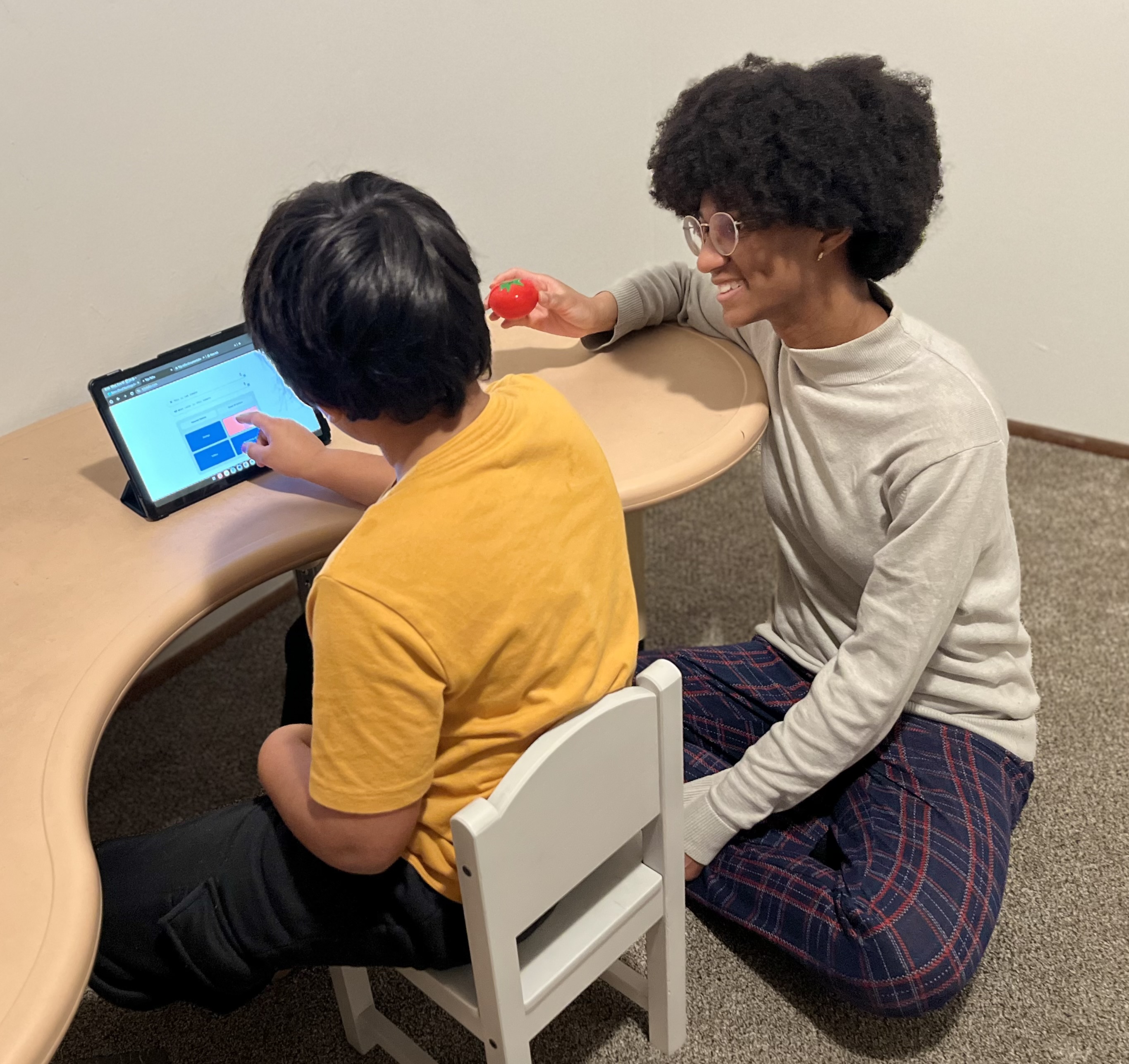
An AI-powered AAC app that listens, understands, and offers meaningful, real-time language options with just one tap. No endless page-turning. No scripting. Just accessible expression, grounded in understanding.
See TejuTalks in Action
Watch how TejuTalks transforms communication for individuals and families
AI-Powered
Get intelligent, real-time language suggestions powered by advanced AI that understands context and learns from your communication patterns.
Real-Time Responses
No more endless page-turning. Get meaningful communication options instantly with just one tap, making conversations flow naturally.
Cross-Platform
Works seamlessly across all devices - phones, tablets, computers. Your communication follows you wherever you go.
Accessible Design
Designed with accessibility in mind. Simple navigation, clear options, and support for various communication needs and abilities.
For Everyone
Perfect for families, therapists, teachers, and caregivers. Everyone gets a say in meaningful conversations.
Who are you?
Real Stories, Real Impact
Our Lady Bug's Journey
We made TejuTalks for our little 4.5-year-old girl who made progress in every developmental goal except for expressive language. We could see the way she was struggling to communicate. Today, she uses TejuTalks during therapy and group time.
Ear Infection Discovery
A 5-year-old non-verbal child, who had been crying and whining for days without being able to tell us why, was finally able to communicate that she was experiencing pain in her right ear. Parents took her to the doctor, who confirmed an inner ear infection.
Unlocking Hidden Potential
We originally built TejuTalks for our 9-year-old. He could communicate his needs, wants, and answer WH-questions in short phrases—but when it came to novel sentences and new questions, he struggled. Once we introduced TejuTalks, everything changed.
From Last Choice to Right Choice
For our 11-year-old, communication was extremely limited. He rarely spoke more than a single word, and when given multiple-choice options, he always picked the last one. Then we introduced TejuTalks—and it became a game changer.
Grade-Level Learning Unlocked
Our 12-year-old is non-verbal but understands everything. Unfortunately, because expression was so difficult, he remained in a Special Day Classroom working with 1st grade level material. With TejuTalks, everything changed.
Typing Made Possible
For our 9-year-old, writing was extremely difficult, and typing was a better option. But even typing was frustrating. With our masking keyboard in TejuTalks, typing suddenly became much easier and faster.
Frequently Asked Questions
Who needs TejuTalks?
TejuTalks is designed for anyone supporting individuals with communication challenges, including children who are struggling to speak, adults with neurological conditions, and spellers and typers who benefit from a simplified, intelligent keyboard.
Why TejuTalks?
Traditional AAC devices require navigating multiple pages to form even a simple sentence. TejuTalks is different with dynamic answers in real time, simplified navigation, and supports novel expression beyond learned phrases.
How do you get started?
Plug & play for individuals already typing or using AAC comfortably. For beginners, caregivers may need to point to correct answers initially, but it's important to gradually fade hand-over-hand support.
Is TejuTalks secure?
Yes, TejuTalks uses end-to-end encryption to protect your personal messages and conversations. Only you and your communication partner can read or listen to them, and nobody in between.
What is special about TejuTalks Keyboard?
The TejuTalks keyboard features word + letter prediction, masked letters that hide unnecessary options, and accessible typing especially effective for users with fine-motor challenges.
Who does it work best for?
Individuals with motor-planning issues, children or adults who can type, minimally verbal or scripted communicators, adults with acquired speech loss, and non-verbal children already using AAC.
How do you use TejuTalks?
In conversations: The Context Box listens and generates 3 answer choices. For needs & wants: Personalize with family members, foods, and activities. In Classrooms: Teachers can check comprehension instantly without programming.
When can I expect results?
Quick responders may grasp the concept right away. Those with motor-planning challenges may require weeks to months of consistent practice. Some users go through an "AAC babbling" phase which is normal and requires persistence.
What about visuals?
Many autistic children have strong visual and auditory memory and remember answers even without added visuals. Best suited for children who can read, have good memory, or show hyperlexia. Not ideal for those with very poor visual/auditory memory or who cannot read yet.
Why is TejuTalks not generating appropriate answers sometimes?
TejuTalks needs strong WiFi and depends on the backend LLM. If the LLM is down, it may show technical challenges. Restore the WiFi and wait for some time. If this doesn't work, take a screenshot and send it to us.
Why is the Context Box microphone not picking up spoken words accurately?
TejuTalks depends on the device microphone. If your device is old or not updated, it will compromise the quality of speech recognition. Another reason could be WiFi connection issues.
Can TejuTalks work offline?
TejuTalks requires an internet connection to function properly as it relies on AI processing and real-time language generation. For the best experience, ensure you have a stable WiFi or cellular connection.
What should I do if the website is not working properly?
If you experience issues with TejuTalks not loading or functioning correctly, try updating both your device's operating system and your web browser to the latest versions. Outdated software can cause compatibility issues and prevent features from working as intended. After updating, clear your browser cache and refresh the page.
How can I change the accent in the settings?
You can change the accent in the settings of your device to the accent favorable to the user. Go to your device settings and adjust the speech/accent preferences. This will allow TejuTalks to use the preferred accent for text-to-speech functionality, making communication more natural and familiar for the user.
Get in Touch
Have questions about TejuTalks? We'd love to hear from you. Send us a message and we'll respond as soon as possible.